MonsterVerze Outfit Planner
A markdown spending checklist so fashion RP looks intentional—not impulse-bought.
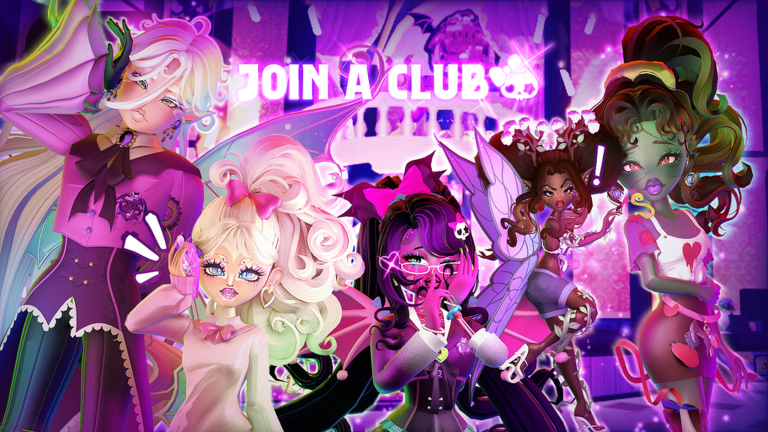
The Outfit Planner is a text tool for MonsterVerze fashion sessions. Before you open Shop with a fresh pile of Ghoulars from Codes or Free Ghoulars & Bundles, fill this planner so your afterlife silhouette stays coherent. It does not auto-buy anything—it forces a one-minute pause that saves thousands of soft coins during PlayGirldom’s BETA economy swings. Deep system help lives on Customization and Custom Decals.
Step 0 — currency snapshot
- Ghoulars on hand: ______
- Gems / VIM on hand: ______
- Robux budget this week (real money): ______
- Codes already redeemed today? (use Code Checklist)
- Group / like claims finished? (Official Resources)
Never plan Halo purchases with Ghoulars alone—read Halos, VIM & Gems first.
Step 1 — pick a vibe (one sentence)
Write a single line, for example: “pastel cemetery idol,” “nautical ghost sailor,” “Eerie High delinquent,” or “VIP Monster runway flex.”
- Vibe written in notes
- Matches the district you will pose in (Locations & Trains)
- Not three vibes at once (split into separate looks)
Step 2 — silhouette checklist
Build from structure outward using Dress Up (iGhost Phone):
- Body proportions locked
- Hair chosen (statement vs soft)
- Face / makeup readable at mid distance
- Top / outer layer decided
- Bottom / dress line decided
- Shoes / socks supporting the hem
- One monster part max for the first pass (fangs or wings or tail unless the vibe needs two)
- Color story limited to 2–3 dominant hues
If the silhouette fails in third person, do not buy accessories yet—fix structure first (Customization).
Step 3 — budget bands
Split Ghoulars before clicking Buy:
| Band | % of soft coins | Purpose |
|---|---|---|
| Core | 50% | Hair, face, main garments |
| Accent | 25% | Jewelry, small props, patterns |
| Reserve | 25% | Next patch / limited bundle |
- Core budget number written
- Accent budget number written
- Reserve left untouched after this session
- No “borrow from reserve” unless a true limited claim is ending tonight
Step 4 — shopping cart preview (write before purchase)
List intended buys:
- ______ — cost ______ — why it serves the vibe
- ______ — cost ______ — why
- ______ — cost ______ — why
- Optional prop / plush: ______
- Explicit do not buy list: ______
- Cart total ≤ Core + Accent
- Each item passes the “visible in a train-station screenshot” test
- Duplicate near-identical pieces removed from the cart
Step 5 — premium / Halo gate
Only continue if you truly want the VIM track:
- I understand Halos are not free-Ghoulars rewards
- I read Halos, VIM & Gems
- Robux budget still OK for ~1200 VIM pass if buying
- I am not rage-rolling VIP Monster after one bad gacha
- Soft-coin outfit is finished before premium spending
If any box is unchecked, stop and finish the free/soft look first.
Step 6 — decals and texture checklist
- Need custom art? Open Custom Decals
- Decal IDs saved in notes
- Patterns do not fight the color story
- Test on both bright Eerie High light and darker graveyard light
Step 7 — photo & RP staging checklist
- Destination picked (Eerie High interior, Graveyard plaza, train platform…)
- Train route known (Locations & Trains)
- Emote / idle chosen for screenshots
- Friend / RP partner briefed on the vibe (optional)
- Before/after screenshots saved for your own lookbook
Step 8 — post-purchase audit
- Wear the full outfit for five minutes of RP before buying “one more piece”
- Unequip anything that clutters the silhouette
- Log final Ghoulars remaining
- Note which Shop rows were traps for future you
- Update personal tier notes or compare with Tier List priorities
Quick planners for common goals
First-hour starter look
- Spend ≤ 30% of starter Ghoulars
- Prioritize hair + one outer layer + face accent
- Save for the next limited free bundle claim
- Follow Getting Started so you are not still tutorial-locked
Code-dump glow-up
- Finish Code Checklist first
- Recalculate budget bands with the new total
- Allow one flex cosmetic from milestone codes (crown/halo-from-code/plush) as the accent centerpiece
- Keep reserve for the next
PATCHxxshopping mood
Runway / VIP flex night
- Soft outfit complete
- VIM / Halo path consciously funded
- Discord event timing checked (Links)
- Screenshot set planned for socials
Anti-impulse rules (print these)
- If you cannot name the vibe in one sentence, do not open Shop.
- If reserve would drop below 25%, stop buying accents.
- If a piece only looks good in the Shop preview light, test in-world first.
- If friends pressure a matchy duo look, still keep your own silhouette readable.
- If BETA just patched Shop prices, re-check Updates before big spends.
Paste-ready planner block
Vibe:
District:
Ghoulars start / end:
Core buys:
Accent buys:
Reserve kept:
Premium? Y/N — reason:
Photo spot:
Lesson for next time:
Use this Outfit Planner every time a code wave or free claim floods your wallet. Fashion RP in MonsterVerze rewards taste under constraint—not emptying the counter on the first glowing skirt. When you need mechanical how-tos, bounce back to Guides; when you need more soft coins, return to Codes and the Tools Hub.
Frequently Asked Questions
Quick answers for codes, fashion, and BETA systems.
Does this planner spend Ghoulars for me?
No. It is a markdown checklist. You still buy items in iGhost Shop / Dress Up after you finish the plan.
How much should I keep in reserve?
Aim to leave about 25% of soft coins untouched for the next patch or limited bundle unless a claim truly ends tonight.
Can Ghoulars buy Halos?
Usually no. Halos sit on the VIM / VIP Monster track. Finish a soft outfit first, then read Halos, VIM & Gems.
What should brand-new players buy first?
Hair, a readable face accent, and one outer layer—spend a minority of starter Ghoulars and save for limited claims.
Where do I learn Dress Up controls?
Use the Customization and iGhost Phone guides, then return here to budget the actual purchases.