MonsterVerze Getting Started
Survive the tutorial, claim starter currency, and open the afterlife in style.
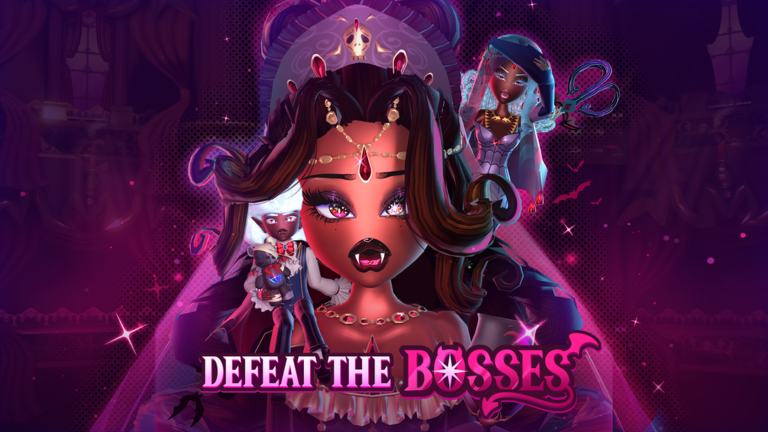
MonsterVerze is PlayGirldom’s Roblox afterlife fashion roleplay: you arrive undead, build a custom monster avatar, follow Skella through a short combat lesson, then unlock trains, shops, and social districts while the game remains in early access / BETA. This getting-started guide is the day-one path—what to click, what to claim, and which wiki pages to open next so you do not burn your first Ghoulars on the wrong purchases.
What MonsterVerze is (and is not)
Expect deep Dress Up systems, soft currency called Ghoulars, premium Gems tied to the Very Important Monster (VIM) track, and train travel between hubs such as Eerie High and the Graveyard station. It is not a pure combat grinder; fashion, photos, quests, and hanging out matter as much as tutorial fights. Because content is still rolling out, treat every menu name here as “current BETA language” and confirm against Updates after patches.
Character creation checklist
After the opening sequence, you customize gender presentation, face, body type, starter clothes, and early monster flair. Take your time: colors and silhouettes are easier to refine later in Dress Up, but a clear base look helps you notice which shop pieces actually upgrade your vibe. When you are happy, continue into Skella’s tutorial instead of quitting—leaving mid-intro can make the first claim path feel confusing.
Skella tutorial and combat basics
Skella walks you through picking up a starter weapon (sword or stick on the ground), equipping it from inventory, blocking Daisy’s attacks, and striking back. Follow prompts exactly; the fight is short and teaches the block-and-hit rhythm you may reuse in later encounters. When combat ends, Skella leads you toward the Train Station so the open world becomes available. Do not skip the station beat—trains are the spine of travel in MonsterVerze, and the Locations & Trains guide builds on that handoff.
First-hour priority loop
- Finish Skella’s tutorial and reach the train hub.
- Open the iGhost phone icon on the HUD (usually mid-right) and locate Dress Up, Shop, travel/quests, VIM, and Settings.
- Claim free soft currency and limited sets using Free Ghoulars & Bundles—plan on roughly 10k Ghoulars via GirlDom group join plus like/favorite flows, then check Shop claim pages for limited outfits.
- Redeem any live promo strings from Codes inside Settings on the iGhost.
- Buy a few practical shop pieces, then experiment in Dress Up before chasing Halo gacha spends.
- Ride the train between Eerie High and the Graveyard loop so you learn fast travel early.
Soft currency vs premium currency
Ghoulars are the everyday coin for clothing and many shop rows. Gems are rarer and primarily tied to VIM membership ranks (~1200 Robux pass), seasonal rewards, and premium shops. New players should empty free claim paths and codes before buying Robux packs. If you later want Halos through VIP Monster gacha and Gem shops, read Halos, VIM & Gems so you understand what the pass actually unlocks (rank start boost, Gems, seasonal freebies, gacha access) versus what remains luck-based.
iGhost is your real menu
Almost everything important lives on the phone: appearance edits, inventory, shops, travel, quests, VIP Monster, and code redemption. The dedicated iGhost Phone walkthrough names each app so you stop hunting for buried buttons. Bookmark that page alongside this one; after every update, re-open both if icons move.
Fashion goals without overwhelm
Monster parts—fangs, wings, tails—plus hair, face, clothing, colors, and patterns live under Dress Up. Start with one silhouette, one accent color, and one signature prop instead of equipping every unlock at once. When you are ready for texture uploads, Custom Decals explains adding personal art. For ranking looks or deciding what is “worth” farming next, skim the Tier List and Customization.
Community, tools, and safety
Follow official destinations listed on Links, watch creator spotlights under Players, and use Tools if calculators or helpers appear for currencies. Treat Scripts with caution—automation can break ToS or accounts; fashion RP is meant to be played socially, not bot-farmed. Report moderation or downtime news via Updates rather than random Discord rumors.
Day-one mistakes to avoid
Do not ignore free claims before shopping. Do not buy VIM solely because a friend has a Halo—read the Halo guide first. Do not skip trains and walk everywhere; stations exist for a reason. Do not redeem codes in the wrong menu—Settings on the iGhost is the usual path. Do not assume every limited bundle stays forever; claim Hauntara-style sets the same session you see them.
Where to go next
Return to the Guides Hub anytime, then branch into Controls, Shop & Items, Competition & Runway, Quests & NPCs, Halo of Vampiria, Pets & Mounts, trains, or decals. Keep Codes and Updates bookmarked for the weekly loop. With Skella behind you, Ghoulars in pocket, and iGhost open, you are ready to dress the afterlife—and update this checklist whenever BETA drops change the first hour.
Frequently Asked Questions
Quick answers for codes, fashion, and BETA systems.
Who makes MonsterVerze?
MonsterVerze is an afterlife fashion RP on Roblox by PlayGirldom (GirlDom). It is currently early access / BETA, so systems still expand over time.
What should I do right after Skella’s tutorial?
Open the iGhost phone, claim free Ghoulars and bundles, redeem codes in Settings, learn the train station, then shop lightly before chasing VIP Monster Halos.
Do I need Robux on day one?
No. Claim ~10k starter Ghoulars and limited free sets first. The VIM pass (~1200 Robux) is optional for Gems and Halo gacha access.
Where are codes redeemed?
Open iGhost → Settings and enter codes listed on the Codes hub. Steps can shift in BETA, so verify after patches.